tuidaw
Digital Audio Workstation for Terminal & Browser
A full-featured DAW with a TUI and a Web UI, built with OpenTUI, Vue 3.6 Vapor, and miniaudio. Practice guitar at half speed without pitch shift. Record multi-track audio. Export mixdowns. From your terminal or browser.
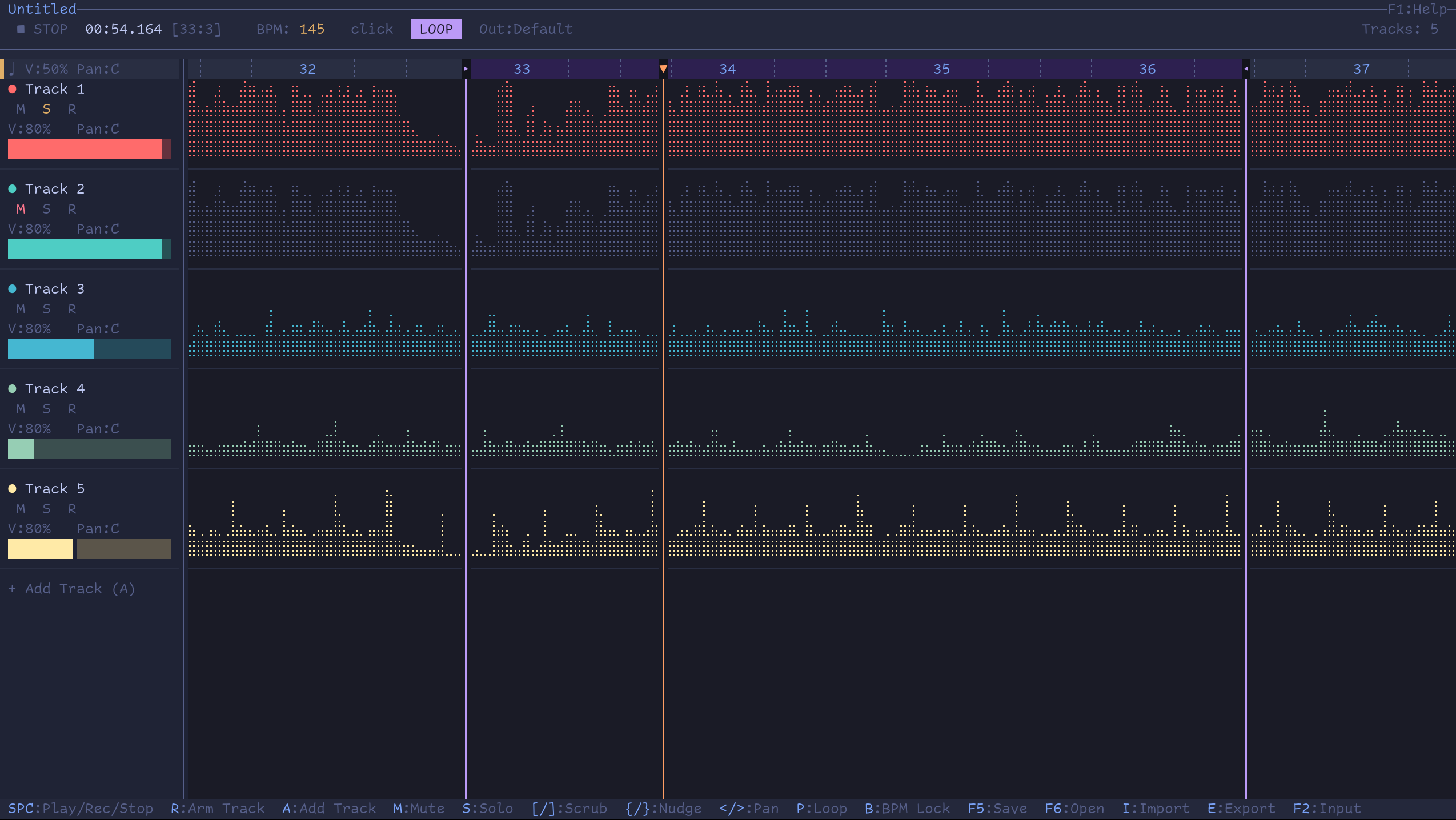
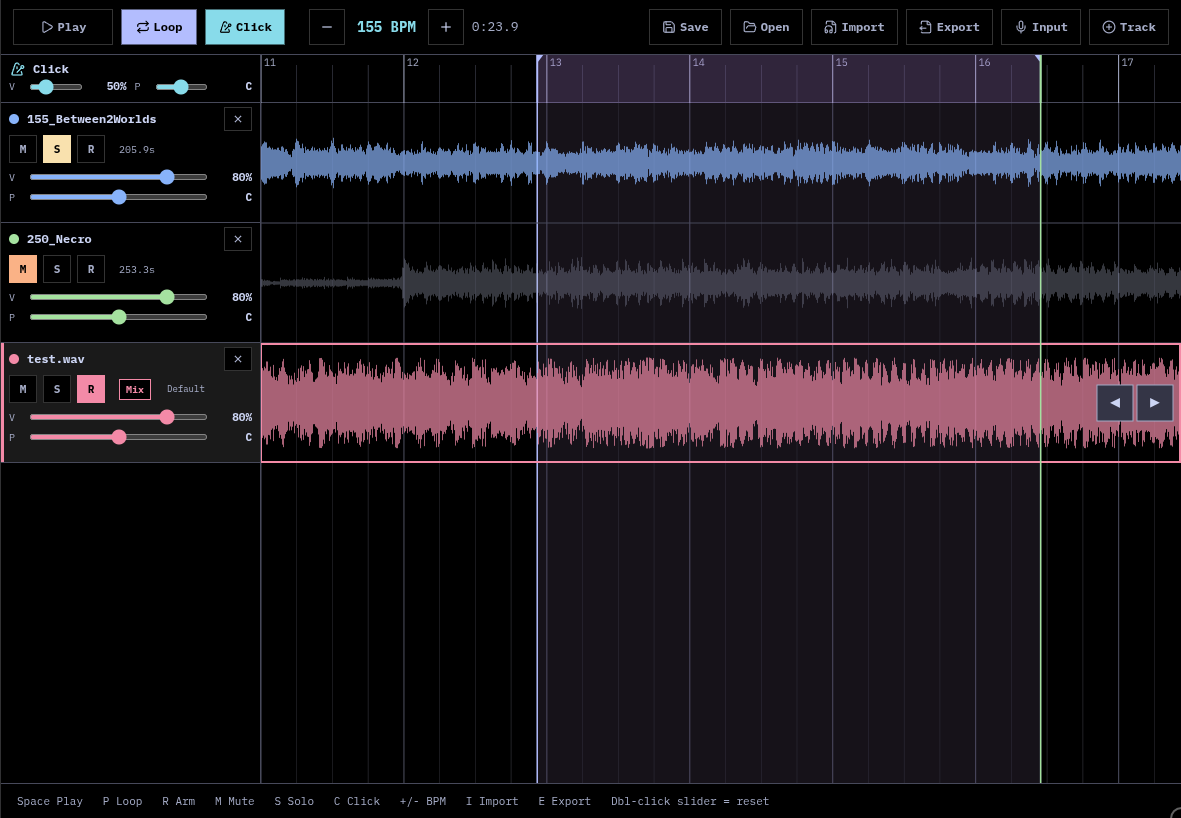
Features
- Two UIs -- terminal (TUI) and browser (Web), sharing the same audio engine
- Braille waveform display -- 2x4 dot grid rendering in TUI, Canvas 2D in Web
- Native audio engine -- miniaudio C library via Bun FFI (TUI) or WebAssembly (Web)
- WSOLA time-stretch -- pitch-preserving speed control (0.25x - 2.0x)
- Multi-track recording -- simultaneous capture with per-track input device selection
- Metronome click -- sample-accurate, configurable volume and pan
- Loop regions -- sample-accurate looping
- Beat-based timeline -- navigate by beats/bars, auto BPM detection on import
- WAV import -- 16/24/32-bit, stereo downmix, automatic 48kHz resampling
- Project save/open --
.tuidawproject files (interoperable between TUI and Web) - Export mixdown -- WAV export via ffmpeg (TUI) or offline WASM render (Web)
- Mouse & touch controls -- scroll, volume, pan via mouse wheel or touch
Quick Start
git clone https://github.com/crossatko/tuidaw.git
cd tuidaw
./setup.sh
bun run start
The setup script will check for required system dependencies, download the Zig 0.14.0 toolchain, install JS dependencies, and build the native audio library.
# Pre-built binary (x86_64 Linux)
If you're on x86_64 Linux, the repo ships a pre-built native library. You can skip the native build:
git clone https://github.com/crossatko/tuidaw.git
cd tuidaw
bun install
bun run start
# TUI Requirements
- Bun (JavaScript runtime)
- Linux (x86_64 or aarch64) or macOS (x86_64 or aarch64)
- A terminal with Unicode support (Ghostty, Kitty, Alacritty, WezTerm, etc.)
- ffmpeg -- for export mixdown
- zenity -- for file dialogs (Linux only)
Web UI
The Web UI runs entirely in the browser -- no server-side audio processing. The same C audio engine is compiled to WebAssembly via Emscripten, and miniaudio uses the Web Audio backend automatically.
- Works on desktop and mobile browsers (Chrome, Firefox, Safari)
- Uses your device's microphone for recording (permission requested on first use)
- Projects saved in the browser are fully compatible with the TUI and vice versa
- PWA installable -- works offline after first load
# Self-hosting
# Development (Vite dev server on port 3666)
bun run dev

# Production build
bun run build:web
# Serve web/dist/ with any static file server
# COOP/COEP headers required for SharedArrayBuffer
Keyboard Shortcuts
Press F1 in the TUI for the full reference.
| Key | Action |
|---|---|
Space | Play / Stop (record if tracks armed) |
A | Add track |
D | Delete track (two-step: clear, then delete) |
R | Arm/disarm track for recording |
M | Mute/unmute track |
S | Solo/unsolo track |
C | Toggle metronome click |
+ / - | Adjust BPM (changes speed via WSOLA) |
< / > | Pan left / right |
V | Cycle volume (25/50/75/100%) |
Up / Down | Select track |
Left / Right | Scroll timeline (Shift: by bar) |
[ / ] | Scrub playhead by 1 bar |
Home / 0 | Jump to beginning |
End | Jump to end |
F1 | Help overlay |
F2 | Select input device |
F3 | Select output device |
F5 | Save project |
F6 | Open project |
I | Import WAV |
E | Export mixdown |
Q | Quit |
Mouse Controls
| Area | Action | Effect |
|---|---|---|
| Main waveform | Scroll wheel | Scroll timeline by beats |
| Main timeline | Click | Set playhead position |
| Sidebar track | Scroll wheel | Adjust volume |
| Sidebar pan zone | Scroll wheel | Adjust pan |
| Sidebar click row | Scroll wheel | Adjust click volume / pan |